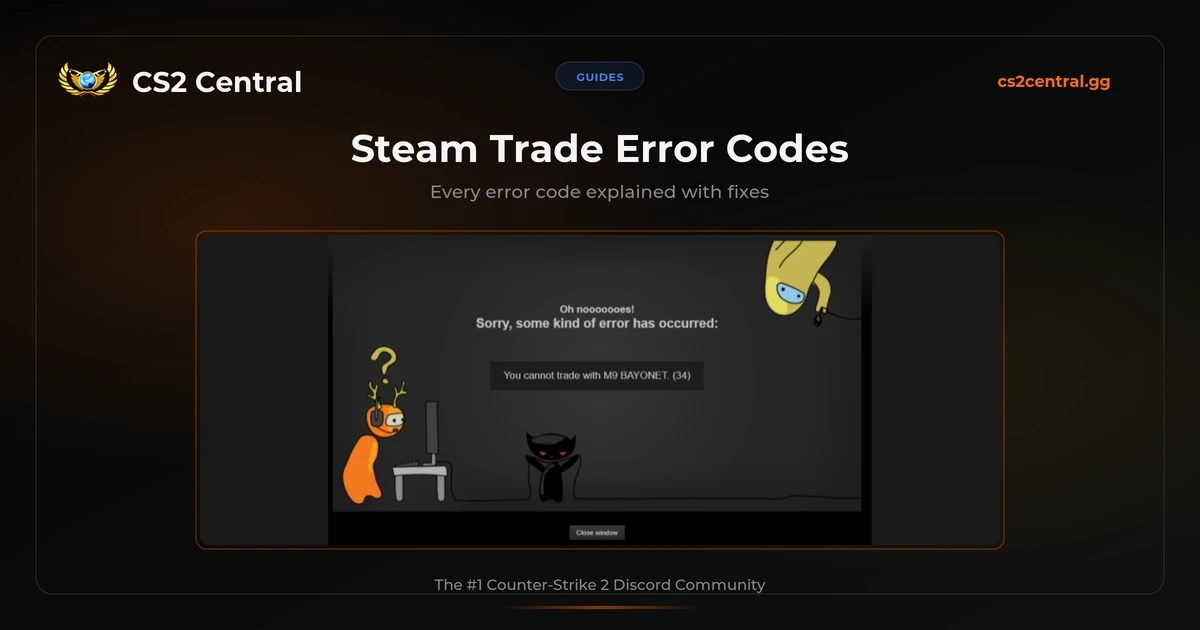
Steam trade error codes are the cryptic numbers you see when a trade fails, like “You cannot trade with [user]. (34)”. The number tells you what went wrong, but Steam never explains what it means. This guide covers every error code, what causes it, and how to fix it.
Trading is the backbone of CS2. Skins are what keep the game interesting and the economy alive. Yet Valve has never published an official explanation of their trade error codes. When you see “(34)” or “(15)” after a failed trade, you’re left Googling forum threads from 2014 hoping someone figured it out.
We see it constantly in the CS2 Central Discord: people post screenshots of error messages asking “what is this?” or “how do I fix this?” So we compiled every single error code from Valve’s own internal code, cross-referenced with SteamErrors.com and hundreds of community reports, and put it all in one place.
TL;DR
- Check the error number in parentheses after the error message
- Find it in the table below for the cause and fix
- Most common: Error 34 = changed your name (wait ~4 hours), Error 16/11 = trade may have gone through (check history), Error 15 = access issue (check friend status, trade URL, inventory)
Every Steam Trade Error Code
These error codes come from Valve’s internal EResult enum, a set of status codes Steam uses across all its services. When a trade fails, Steam returns one of these codes. The ones below are all codes that can appear during trading.
| Code | Name | What It Means |
|---|---|---|
| 2 | Fail | Something went wrong, no specific reason |
| 8 | InvalidParam | Your session expired |
| 11 | InvalidState | Trade offer state changed (often already completed) |
| 15 | AccessDenied | Not friends, bad token, VAC ban, or full inventory |
| 16 | Timeout | Server was slow, trade may have succeeded |
| 20 | ServiceUnavailable | Steam trade servers are down |
| 25 | LimitExceeded | Too many active offers or full inventory |
| 26 | Revoked | Items no longer available in the sender’s inventory |
| 28 | AlreadyRedeemed | Trade already accepted, or item servers can’t verify |
| 34 | LogonSessionReplaced | You changed your display name recently |
| 50 | AlreadyLoggedInElsewhere | Session conflict with another login |
| Other | Various | Insufficient privilege (24), Duplicate request (29), No match (42) |
Error Codes Explained
Error 34: LogonSessionReplaced
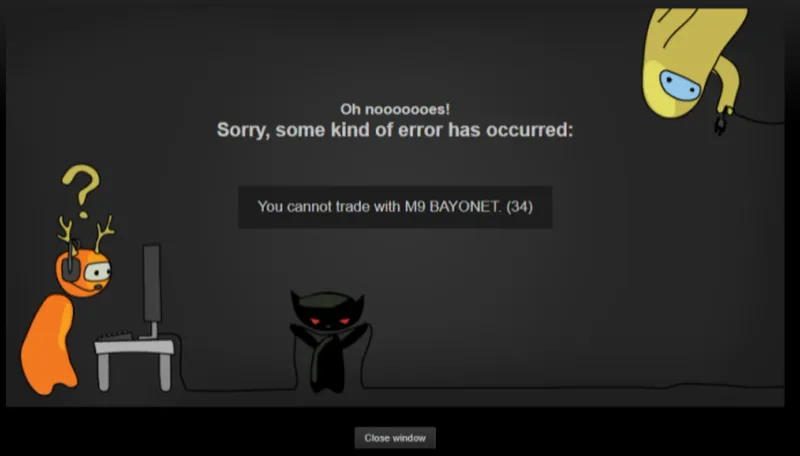
This is the one that catches everyone off guard. You changed your Steam display name, and now you can’t trade for hours. That’s it. That’s the entire problem.
Valve added this as an anti-hijacking measure. If someone gains access to your account and changes the name, the trade lock gives you time to recover it. Reasonable in theory. In practice, you just wanted a fresh name and now you’re stuck waiting.
One of our mods hit this right before a knife trade. Changed his name, tried to send the offer, got the error, and had to sit there for 4 hours while the other guy waited. RIP.
Fix: Wait about 4 hours. There is no way to skip this cooldown. Don’t change your name right before a trade.
Error 15: AccessDenied
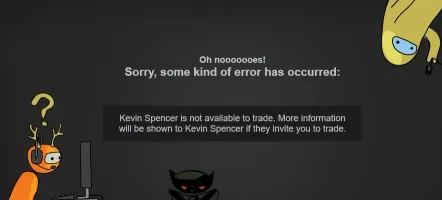
The most frustrating error because it has four completely different causes, and Steam doesn’t tell you which one:
- Not friends and no trade URL - You need to be friends with the other person, or they need to include their trade URL so you can send offers without being friends
- Wrong or expired trade URL - Trade URLs can be reset by the other user, which invalidates the old one
- VAC or game ban - If either account has a VAC ban or game ban for that specific game, trading items from that game is blocked
- Full inventory - The recipient’s inventory for that game has hit its limit (CS2 caps at 1,000 items)
Fix: Check each cause in order. Add the person as a friend, ask for a fresh trade URL, verify neither account is banned, and make sure neither inventory is full. Set both inventories to public in Steam privacy settings.
Error 11: InvalidState
This means the trade offer’s state changed before your action completed. Most commonly, the trade already went through and Steam was just slow to update. But it can also mean the other person cancelled or declined the offer before you could accept it.
“Error 11 is for when you accept an offer. It means it still went through. It’s stupid but that’s how steam communicates under heavy load”– u/lordlurker7 on r/SteamTradingCards
Do NOT resend the trade. Check your trade history and inventory first. If the items are there, the trade went through. If not, the offer was likely cancelled and you’ll need a new one.
Error 16: Timeout
Steam’s trade server was slow to respond. Unlike error 11 (which is a state mismatch), this is a genuine network timeout. The trade may or may not have gone through.
Valve’s own documentation on SteamErrors.com says it clearly: “It is possible (and not unlikely) that the operation actually succeeded.”
Fix: Check your trade history. If the trade shows up, it worked. If not, resend it.
Error 26: Revoked
One or more items in the trade offer are no longer available in the sender’s inventory. This happens when someone sends you a trade, but before you accept, they already traded those items to someone else, sold them on the market, or the items are locked in another pending trade.
If you get this error on a trade from a third-party site like CSFloat, the bot’s item was likely purchased by another buyer before you accepted.
Fix: Ask the other person to send a new trade offer with items they actually have. On third-party sites, find a new listing.
Error 25: LimitExceeded
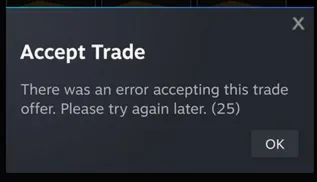
Steam has hard limits on active trade offers:
- 5 active offers to the same person
- 30 active offers total across all recipients
Pending mobile confirmations count toward these limits. Items already in escrow do not.
This error also appears when accepting a trade that would push the recipient’s game inventory over its capacity limit.
Fix: Cancel old trade offers you no longer need, or wait for pending offers to be accepted/declined. If it’s an inventory limit, clear some space first.
Error 2: Fail
The generic catch-all. Something went wrong and Steam can’t be more specific about it. Think of it as Steam’s version of an HTTP 500 server error.
Fix: Check your trade history (the trade might have gone through anyway). If not, wait a few minutes and try again. If it keeps happening, check steamstat.us for server issues.
Error 28: AlreadyRedeemed
Two possible causes. Either the trade was already accepted (you or someone else clicked accept before you), or Steam’s item servers can’t verify the items right now. This error almost exclusively appears when accepting trades, not when sending them.
We’ve hit this one ourselves. You click accept, see an error, panic, and then check your inventory to find the items are already there.
Fix: Refresh the page and check your inventory. If the items are there, the trade went through. If not, check steamstat.us for server issues and try again later.
Error 8: InvalidParam
Your Steam session expired. This happens when you’ve been on the trade page for too long without refreshing, or when Steam’s login cookie has gone stale.
Fix: Log out of Steam in your browser, log back in, and refresh the trade page. Clear your browser cookies if it persists.
Error 20: ServiceUnavailable
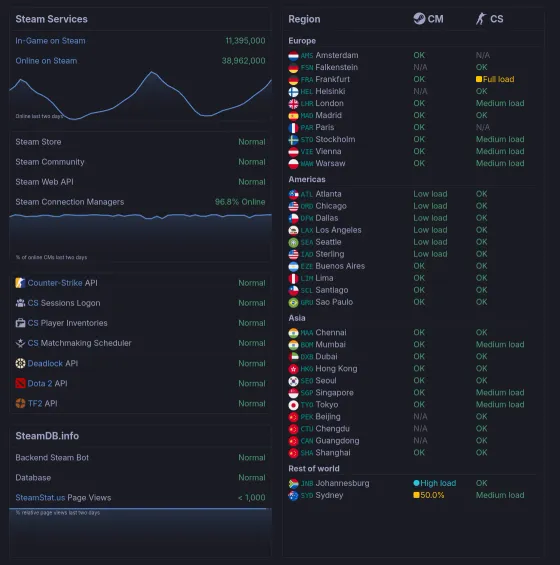
Steam’s trade servers are down. Not your problem, Valve’s.
Fix: Check steamstat.us to confirm. Wait for the servers to come back. Disruptions are most common during Steam’s weekly Tuesday maintenance (typically around 1-3 PM Pacific).
Error 50: AlreadyLoggedInElsewhere
Your trading session is conflicting with another active login, or you have too many pending active trades. This can happen when you’re logged into Steam on multiple devices or browsers, when your session cookie has gone stale, or when you need to cancel some pending offers first.
Fix: Log out of Steam everywhere (desktop client, browser, phone), then log back in on the device you want to trade from. If that doesn’t work, cancel any pending trade offers one by one.
Less Common Error Codes
These errors are rarer, but have been reported by users in trade offer responses:
| Code | Name | Cause and Fix |
|---|---|---|
| 24 | InsufficientPrivilege | Logged in from a new device (7-day cooldown) or expired session. Wait for the cooldown, or log out and back in. |
| 29 | DuplicateRequest | You sent the same action twice (for example, clicking accept multiple times). The first one probably went through. Check your trade history. |
| 42 | NoMatch | Steam can’t find the trade offer. This usually means the offer was cancelled, expired, or already processed before your action completed. Check your trade history and inventory to confirm. |
Valve’s internal system has 131 different result codes, and some (like 112 for limited accounts, 69 for parental controls, or 73 for locked accounts) could theoretically appear in trade responses. In practice, Steam usually blocks these situations at the UI level before you can even attempt a trade, so you won’t see a numeric error code for them.
Account Restrictions That Block Trading
Beyond error codes, Steam has a layer of account restrictions that can prevent or delay trades. These don’t always show a numeric error code, instead you’ll see messages like “Trade hold” or “Not tradable” on items.
Steam Guard and Mobile Authenticator
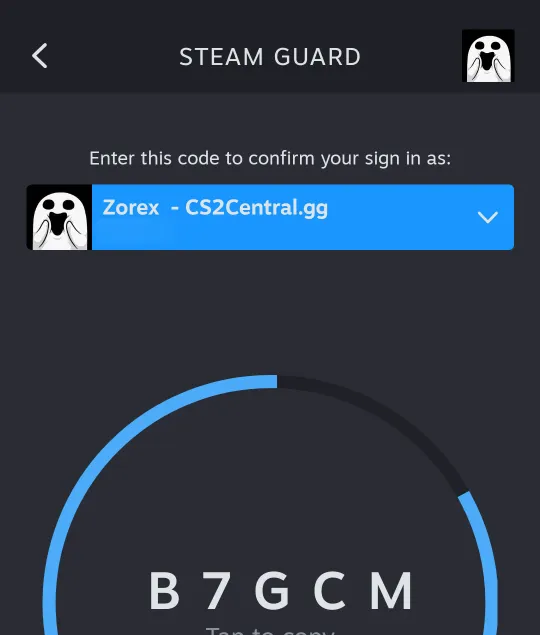
Steam Guard is the single biggest factor in whether your trades go through smoothly. Without it properly set up, every trade gets delayed. If you need help setting it up on PC, see our Steam Desktop Authenticator guide.
| Situation | Result |
|---|---|
| Steam Guard not enabled at all | Cannot trade |
| Steam Guard enabled less than 15 days | 15-day wait before trading |
| Mobile Authenticator active for 7+ days | No trade hold (instant trades) |
| Mobile Authenticator active less than 7 days | 15-day hold (1-day if friends for 1+ year) |
| Mobile Authenticator removed (disabled) | 15-day restriction |
| Mobile Authenticator transferred to new phone | ~2-day hold |
| Neither party has Mobile Authenticator, friends for 1+ year | 1-day hold instead of 15 |
The 15-day wait is brutal. You basically can’t trade for two weeks because you installed the app on a new phone.
“Is saddening to read that the most common reply you get when saying that ‘you don’t have a phone’ is to ‘buy a $20 smartphone’ from a local store. Almost like everyone assumes every steam user lives in a first world country where those things are cheap.”– u/Sjru on r/Steam
Turning off Steam Guard, even briefly, resets the clock. If you’re at day 14 of the 15-day wait and toggle it off, you start over from zero. One of our mods learned this the hard way: switched phones, toggled authenticator off and back on the same day, and still got hit with the full 15-day reset. As How To Guide Tutorials explains, the timer restarts completely.
Account and Security Restrictions
| Action | Trade Restriction |
|---|---|
| Password reset | 5-day restriction |
| Email address changed | 5-day restriction |
| New device login (or clearing cookies / reinstalling Steam) | 7-day hold |
| New payment method added | 3-day cooldown on purchased items |
| Display name changed | ~4 hour cooldown (Error 34) |
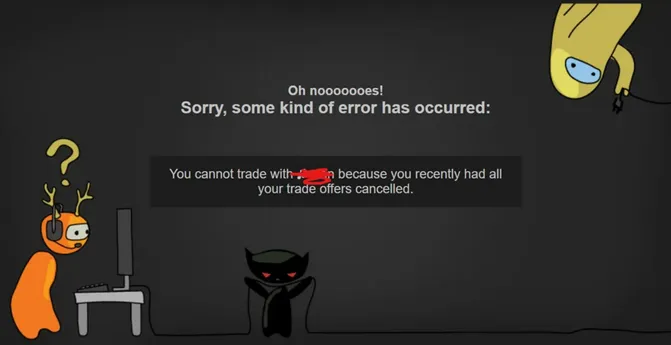
| Cancelled a held trade | 7-day restriction |
| Password reset after months of inactivity | 30-day restriction |
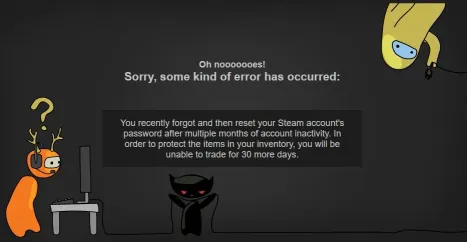
Notice how literally every account change triggers a trade cooldown? Valve treats every change like you just got hacked. The 30-day restriction for inactive accounts is the worst one. You come back to CS2 after a break, reset your password because you forgot it, and then find out you can’t touch your inventory for a month. For the full official breakdown, see Steam’s Trading and Market Restrictions FAQ.
Permanent Restrictions
- VAC ban or game ban - Cannot trade items from the banned game. Permanent.
- Trade ban - Issued by Steam Support for scamming, fraud, or terms violations. Can be temporary or permanent.
- Community ban - Blocks market and community features. Also affects trading in some cases.
- Limited account - Accounts that haven’t spent $5 can’t send trades. Buy anything on Steam to fix this.
- Payment chargeback - If you dispute a Steam payment with your bank, your entire account gets locked from trading, purchasing, and gifting until the dispute is resolved. Repeated chargebacks can get your account permanently closed.
- Parental controls / Family View - If Steam Family View restricts trading, you can’t trade until the restriction is removed in Steam Settings > Family.
CS2-Specific Trading Issues
7-Day Trade Lock
Items received through trades or the Steam Market are locked for 7 days before they can be traded again. This has been in place since March 2018 (originally in CS:GO) and applies to all CS2 items. There’s no way around it.
CS2 Trade Protection (July 2025)
Valve added a separate trade protection system in July 2025. When you trade CS2 items, they show a yellow shield icon for 7 days.
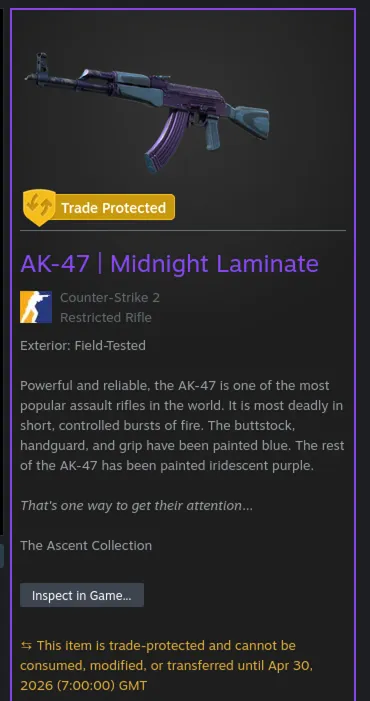
During this period:
- Either party (sender or receiver) can reverse the entire trade
- The receiver can’t re-trade, list on market, apply stickers, use items in trade-up contracts, place items in Storage Units, or open cases/capsules during the 7-day window
- Reversing a trade undoes all trade-protected trades from the past 7 days, not just the one you’re reversing
- The person who initiates the reversal gets a 30-day trading ban
The idea is solid: if you get scammed, you can undo the trade. But the cascade reversal caught a lot of people off guard. If you reverse one bad trade, every trade from the last week gets reversed too, including legitimate ones.
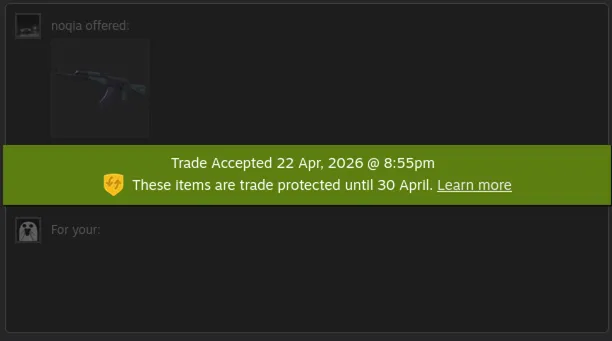
After a trade goes through, you’ll see the green protection notice in your trade history showing exactly when the protection expires.
“This is gonna suck for third party sites man :( CSFloat gonna need to hold funds for like a week now”– u/DavC18781 on r/Steam (494 upvotes)
“Items Now Unavailable For Trade”
If you see this on a trade offer, the items were moved out of the sender’s inventory before you could accept. Sometimes the sender simply traded the items to someone else first. But if neither of you did anything, it could be an API scam: someone hijacked the sender’s API key and redirected their trade offers to a different account.
If this happens to a friend, tell them to:
- Check their trade history to see where the items went
- Revoke their API key at steamcommunity.com/dev/apikey
- Change their password immediately
- Use the trade reversal tool if eligible
Valve Needs to Fix Their Error Messages
Here’s what frustrates us most about this entire topic: none of this guide should need to exist.
When Steam shows you “You cannot trade with M9 BAYONET. (34)”, it could just as easily say “You cannot trade because you recently changed your display name. Try again in about 4 hours.” Instead, you get a number. No explanation. No link to a help article. Nothing.
The error codes come from Valve’s internal EResult enum, a system originally built for developers, not end users. There are 131 different result codes in Valve’s system. The only reason we know what they mean is because the community reverse-engineered them. Valve has never published an official guide.
Trading is a multi-billion dollar economy. CS2 skins alone make up a market worth hundreds of millions. Players deserve clear error messages that explain the problem and how to fix it, not a number and a cartoon cat.
Quick Troubleshooting Checklist
If you got a trade error and aren’t sure where to start, run through this:
- Check the error code number in the parentheses and find it in the table above
- Check steamstat.us to rule out server issues
- Check your trade history, the trade might have gone through (errors 11, 16)
- Log out and log back in to refresh your session (errors 8, 50, 24)
- Try the web browser version of Steam if the desktop client gives errors, or vice versa
- Verify your Steam Guard status in Steam Settings > Security
- Check your inventory privacy, both yours and the other person’s should be set to public
- Wait, many restrictions are time-based and resolve on their own
Frequently Asked Questions
What does Steam trade error 34 mean?
You changed your Steam name and now you can't trade. It's a security thing. Wait about 4 hours and it fixes itself. There's no way to skip it.
Why does Steam say "You cannot trade with this user"?
This message appears with a number in parentheses, like (34) or (15). The number is an error code that tells you the specific cause. Common causes include: recently changed display name (34), not being friends without a trade URL (15), a full inventory (25), or an expired session (8 or 50).
How do I fix Steam trade error 15 AccessDenied?
Error 15 has multiple causes. Check these in order: make sure you are friends with the other user or have their correct trade URL, verify neither account has a VAC or game ban for that game, check that the recipient's inventory is not full, and make sure both inventories are set to public.
Does Steam trade error 16 mean my trade failed?
Not necessarily. Error 16 (Timeout) means Steam's trade server was slow to respond, and the trade may have gone through despite the error. Valve says it is "possible (and not unlikely)" that it succeeded. Always check your trade history before resending to avoid duplicate offers.
How long is the Steam trade hold in 2026?
It depends on your account setup. With Steam Guard Mobile Authenticator active for 7+ days: no hold. Without mobile authenticator: 15-day hold. New device login: 7-day hold. Password reset: 5-day restriction. CS2 items also have a separate 7-day trade protection period after every trade.
What is a limited Steam account and can it trade?
A limited account hasn't spent $5 on Steam yet. You can't send trade offers or use the Community Market until you spend at least $5 on Steam.
Why are my CS2 skins not tradable for 7 days?
CS2 has two separate 7-day locks. The trade lock (since 2018) prevents re-trading items received through trades or the market. The trade protection system (since July 2025) adds a reversal window where either party can undo the trade. Both result in a 7-day wait.
Where can I check if Steam trade servers are down?
Visit steamstat.us to check real-time status of all Steam services. If trade servers show as down, that explains errors 20, 16, and 28. Wait for the servers to recover.
Have a trade error that's not covered here? Drop it in our Discord server with a screenshot. With 25,000+ members trading daily, someone has probably seen it before.
