Trade CS2 Skins Safely
Join 25,000+ traders in our moderated trading channels. Knives, gloves, weapon skins, and more. Peer-to-peer trading with trusted community members.

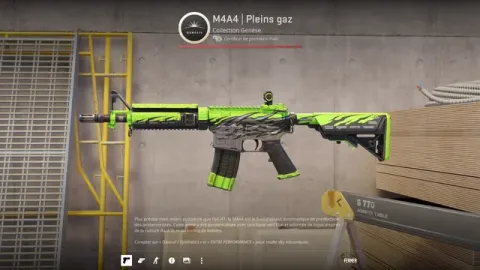


Channels by Skin Value
Find trades at your price point. Each channel is dedicated to a specific value range.
Budget Trading
Playskins, starter knives, and affordable upgrades. Great for building your first loadout or finding deals.
Mid-Tier Trading
Quality knives, gloves, and weapon skins. Most popular trading channel with the highest activity.
Most ActiveHigh-Tier Trading
Rare patterns, low floats, collector's items. Serious trades with experienced traders.
Built-In Trading Tools
Our custom bot makes it easy to find items, check prices, and connect with traders without leaving Discord.
Find Any Item Instantly
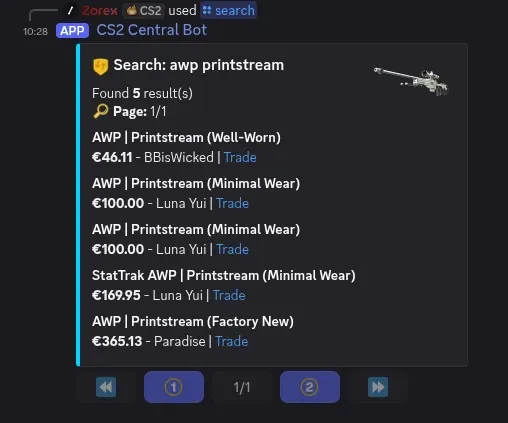
Looking for an AWP Printstream? Type /search awp printstream and the bot shows every member who has one, with prices and a direct trade link. No more scrolling through hundreds of messages hoping someone has what you need.
Price Check Any Skin
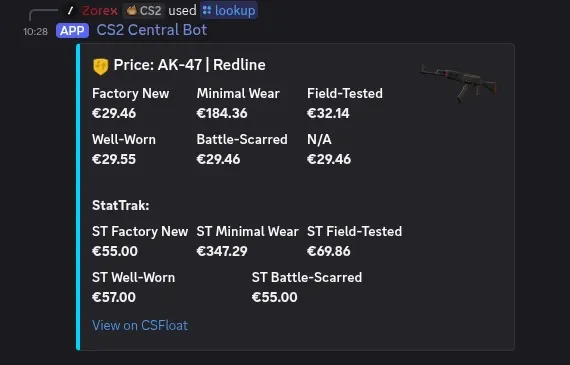
Not sure what something is worth? /lookup pulls live CSFloat prices for every wear condition, including StatTrak variants. Know exact values before you negotiate, so nobody can lowball you.
Browse Inventories
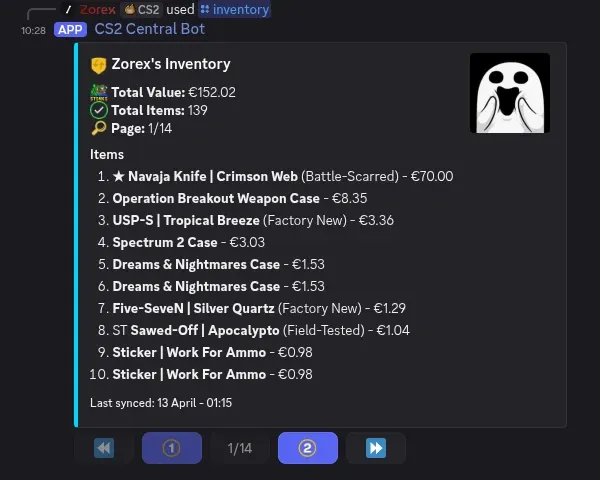
View any trader's full inventory with item prices and total value. See exactly what someone has before you reach out. Your inventory syncs automatically from Steam.
Generate Your Trade List
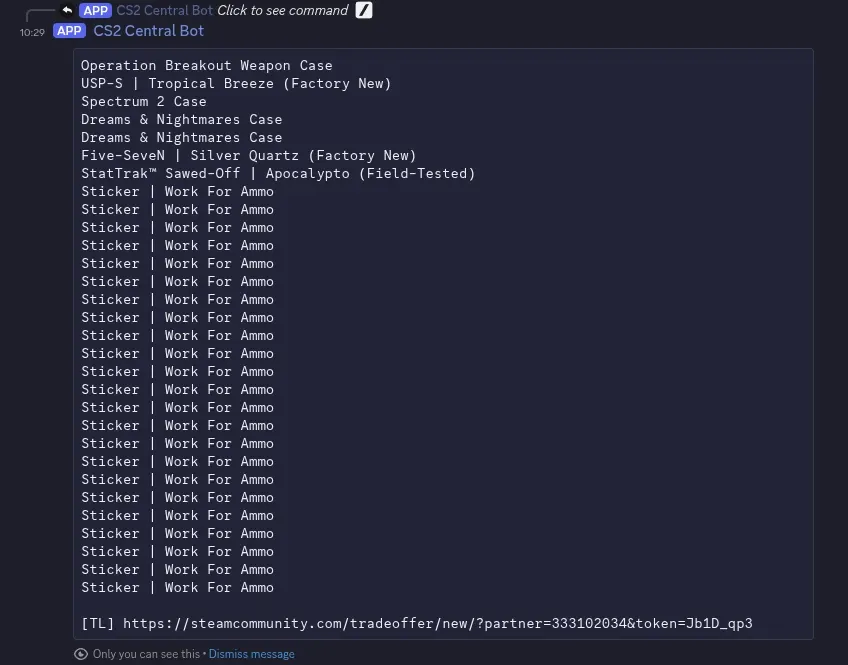
Running /tradelist generates a clean, formatted list of your inventory that you can paste straight into a trading channel. Filter by price range to only show items you actually want to trade.
Verified Trader Profiles
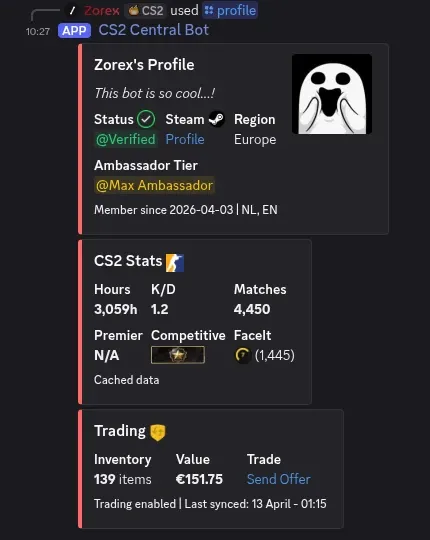
Run /register to create your account with your Steam Trade URL. Then verify ownership with /verify to get a verified badge. Use /profile to view any trader's stats, inventory value, and trade offer link. You know exactly who you're dealing with before sending an offer.
Discord Trading vs Marketplaces
P2P trading on Discord has real advantages over marketplace sites, but it's not perfect. Here's an honest breakdown.
| Feature | Discord P2P | Steam Market | Third-Party Sites |
|---|---|---|---|
| Trading fees | 0% | 15% | 2-5% |
| Price negotiation | Direct chat | Fixed price only | Limited |
| Skin-for-skin trades | Yes | Cash only | Varies |
| Price ceiling | None | $1,800 max | Varies |
| Scam risk | Higher (use Steam offers) | Very low | Low to medium |
| Convenience | Requires effort | One-click buy | Easy listing |
Where Discord wins
If you find a fair trade, both sides walk away with 100% of the value. No marketplace is taking a cut. You can negotiate, swap skins directly, and trade items above the Steam Market's $1,800 cap. Our /lookup bot gives you the pricing data to negotiate confidently.
What to watch out for
Discord trading has scammers, lowballers, and people who waste your time. You need to know how scams work before you start. Always use Steam trade offers, never trade outside Steam, and verify item values with /lookup first. If a deal feels off, walk away.
Sites like CSFloat are great for quick, safe purchases at market price. Discord P2P is best when you want to trade skins directly and keep more value. Use both depending on the situation.
Your First Trade in 5 Minutes
Join and Create Your Account
Join the Discord and run /register to create your account. You'll enter your Steam Trade URL and select your region. The bot extracts your Steam ID and syncs your inventory automatically. Then run /verify to confirm ownership of your Steam account and unlock all features.
Find What You Want
Use /search to find who has the item you're looking for. Check prices with /lookup so you know the fair value before negotiating. Browse other traders' inventories with /inventory.
Post in the Right Channel
List your trade in the matching value channel: budget ($0-$100), mid-tier ($100-$500), or high-tier ($500+). The bot monitors channels and removes posts that don't match the price range.
Negotiate and Trade
Chat directly with the other trader, agree on terms, and complete the trade through Steam's official trade offer system. Never trade outside of Steam, no matter what anyone says.
Trading Safety Tips
Our channels are moderated, but always follow these best practices:
Always Use Steam Trade Offers
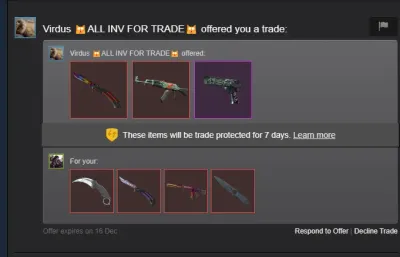
Never trade outside of Steam's official system. If someone asks you to use a third-party site, send items first, or trade through a "middleman", it's a scam. No exceptions.
Check Trader Profiles
Run /profile @user on anyone you're about to trade with. Verified profiles are linked to their Steam account. Also check their Steam profile age, trade history, and hours played.
Know Real Prices
Use /lookup in Discord for quick checks. For deeper research, use trusted sources like Buff163 and CSFloat. Chrome extensions like CS2 Trader and Steam Inventory Helper show real market prices directly in your Steam inventory and trade window.
If It's Too Good, It's a Scam
Trust your instincts. Nobody is giving away a Karambit Fade at half price. Read our complete scam prevention guide before your first trade.



Anti-Scam Protection
Your safety is our priority. We have systems in place to protect traders.
Anti-Scam Guides
Run /scams in Discord for an interactive guide covering 11 scam types: API key scams, impersonation, fake trade bots, QR codes, and more. Or read the full written guide with real examples. Knowing these patterns is the difference between safe trading and losing your inventory.
Report Scammers
Open a ticket to report suspicious activity or scam attempts. Our mod team investigates every report and permanently bans confirmed scammers. We share ban lists with other trading communities to keep the ecosystem clean.
Selling Guides
Want to cash out? Learn how to price your skins accurately using Buff163 and CSFloat, where to sell for the best return, and how to avoid common mistakes that cost you money when liquidating your inventory.
Ready to Trade?
Join 25,000+ traders. Find your next knife, gloves, or dream skin.
Join Trading DiscordFree to join. No marketplace fees.
Trading Questions
Is CS2 skin trading safe on Discord?
Yes! Our trading channels are actively moderated. We always recommend using Steam's official trade offer system and checking profiles before trading. Our community has been trading safely since 2019.
What skins can I trade?
Everything! Knives (Karambit, Butterfly, Bayonet, etc.), gloves (Sport, Driver, Specialist), weapon skins for any gun, stickers, cases, and any other CS2 item. From budget playskins to rare collectibles.
Are there fees for trading CS2 skins on Discord?
No. Peer-to-peer trading on Discord is completely free. There are no listing fees, transaction fees, or marketplace taxes. You trade CS2 skins directly with other players through Steam trade offers. Compare that to 15% on Steam Market or 2-5% on sites like CSFloat and Buff163.
How do I avoid CS2 skin trading scams on Discord?
Always trade through Steam trade offers, never outside of Steam. Check trader profiles with /profile, verify skin prices with /lookup or trusted sites like Buff163 and CSFloat, and use browser extensions like CS2 Trader to see real prices in your trade window. Run /scams in our Discord for an interactive guide covering 11 common scam types. If a deal feels too good to be true, walk away.
Can I trade CS2 cases, stickers, and agent skins on Discord?
Yes! You can trade any tradeable CS2 item on our Discord, including cases, stickers, agent skins, pins, music kits, patches, and graffiti. Our trading channels cover all item types, not just weapon skins, knives, and gloves.
What does the CS2 Central trading bot do?
Our custom bot has several trading tools: /search finds who has a specific item, /lookup checks prices across all wear conditions, /inventory lets you browse other traders' items, and /tradelist generates a formatted list of your inventory to post in trading channels. Use /register to create your account and /verify to link your Steam profile.
Do I need to verify my account to trade CS2 skins on Discord?
You need to run /register with your Steam Trade URL to create an account and sync your inventory. Verification with /verify is optional but recommended. It confirms you own the Steam account, gives you a verified badge on your profile, and builds trust with other traders.
Why trade CS2 skins on Discord instead of a marketplace?
Discord peer-to-peer trading has zero fees, while Steam Market charges 15% and third-party sites charge 2-5%. You can also negotiate directly and swap skins without converting to cash. The downside is that Discord has more scam risk, so you need to use Steam trade offers, verify item values, and know how common scams work before trading.