CS2's March 2026 "Guns, Guides, and Games" update added built-in Map Guides that show utility lineups directly in competitive matches. You can now see exactly where to stand and aim to throw smokes, flashes, and molotovs without leaving the game or watching YouTube tutorials.
This guide covers how the system works, how to enable it, where to find the best community guides, and what the limitations are. Map Guides were part of the same update that overhauled the reload system, but they've received far less attention.
What Are CS2 Map Guides?
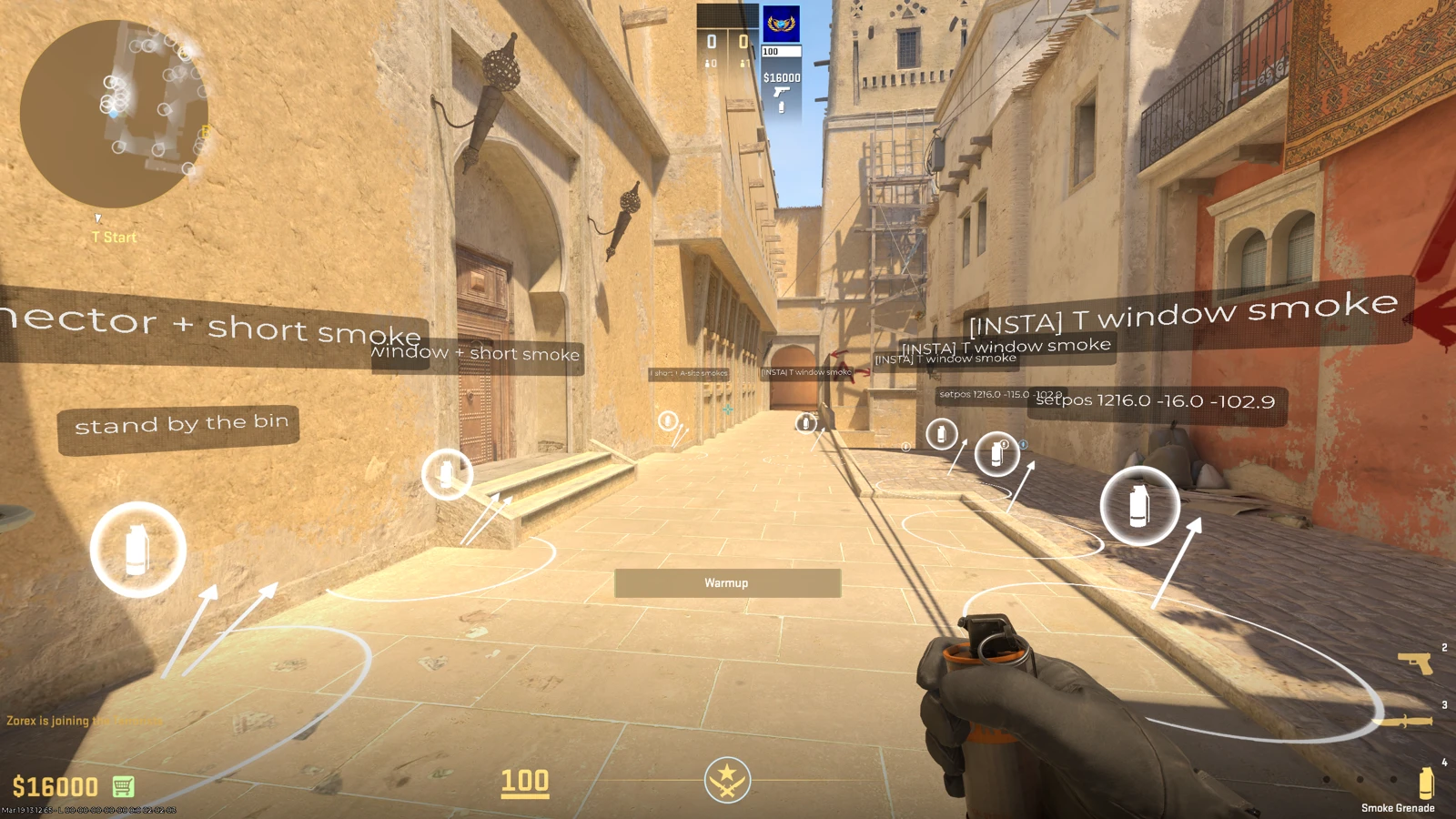
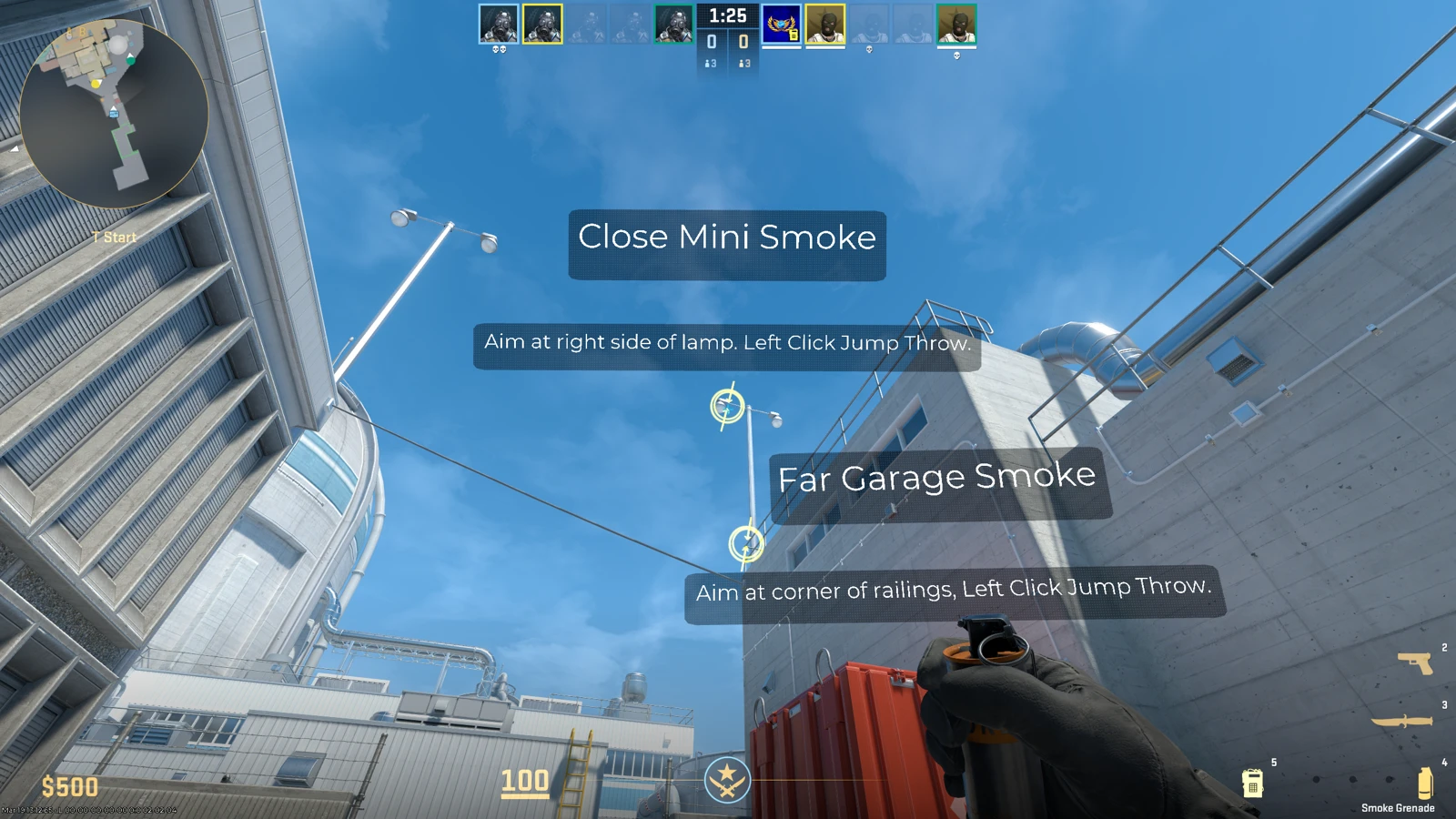
Map Guides are an in-game overlay that displays utility lineup markers during competitive and retakes matches. Each marker shows a position to stand and an aim point, so you can throw a specific grenade (smoke, flash, molotov, or HE) that lands exactly where intended.
Think of it like having a utility coach built into the game. Instead of alt-tabbing to a YouTube video or a website like CS2Util or CSNades, the lineups appear directly on your screen while you play.
How to Enable Map Guides in CS2
Follow these steps to activate Map Guides during a match:
- Start a Competitive or Retakes match on any Active Duty map.
- Press Escape to open the pause menu during the first 5 rounds of the half.
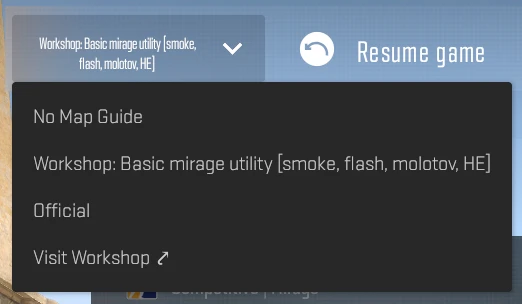
- Select a guide from the list. You'll see Valve's official guides and any community Workshop guides you've subscribed to.
- Close the menu and the guide nodes appear as markers on your screen showing lineup positions.
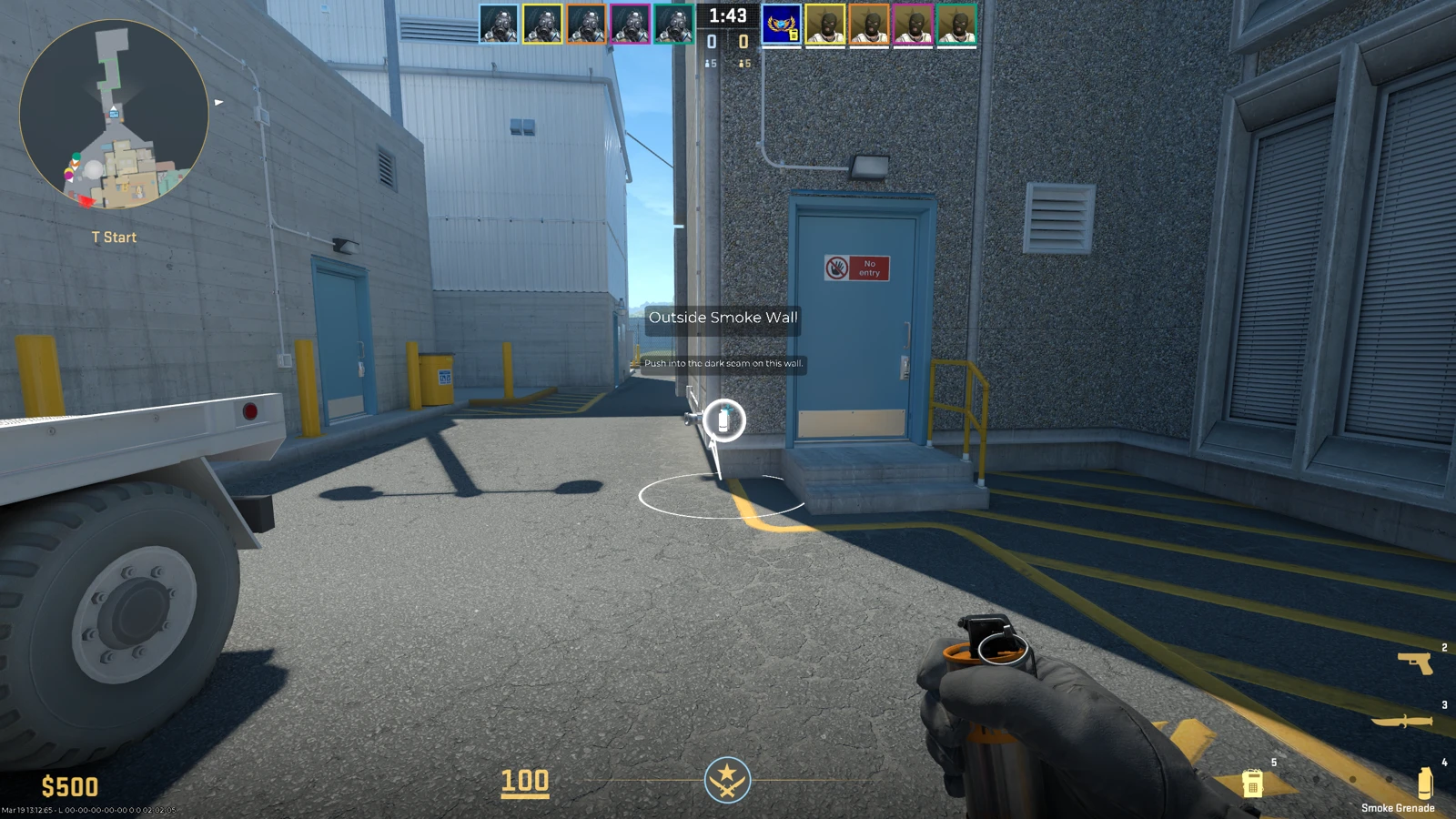
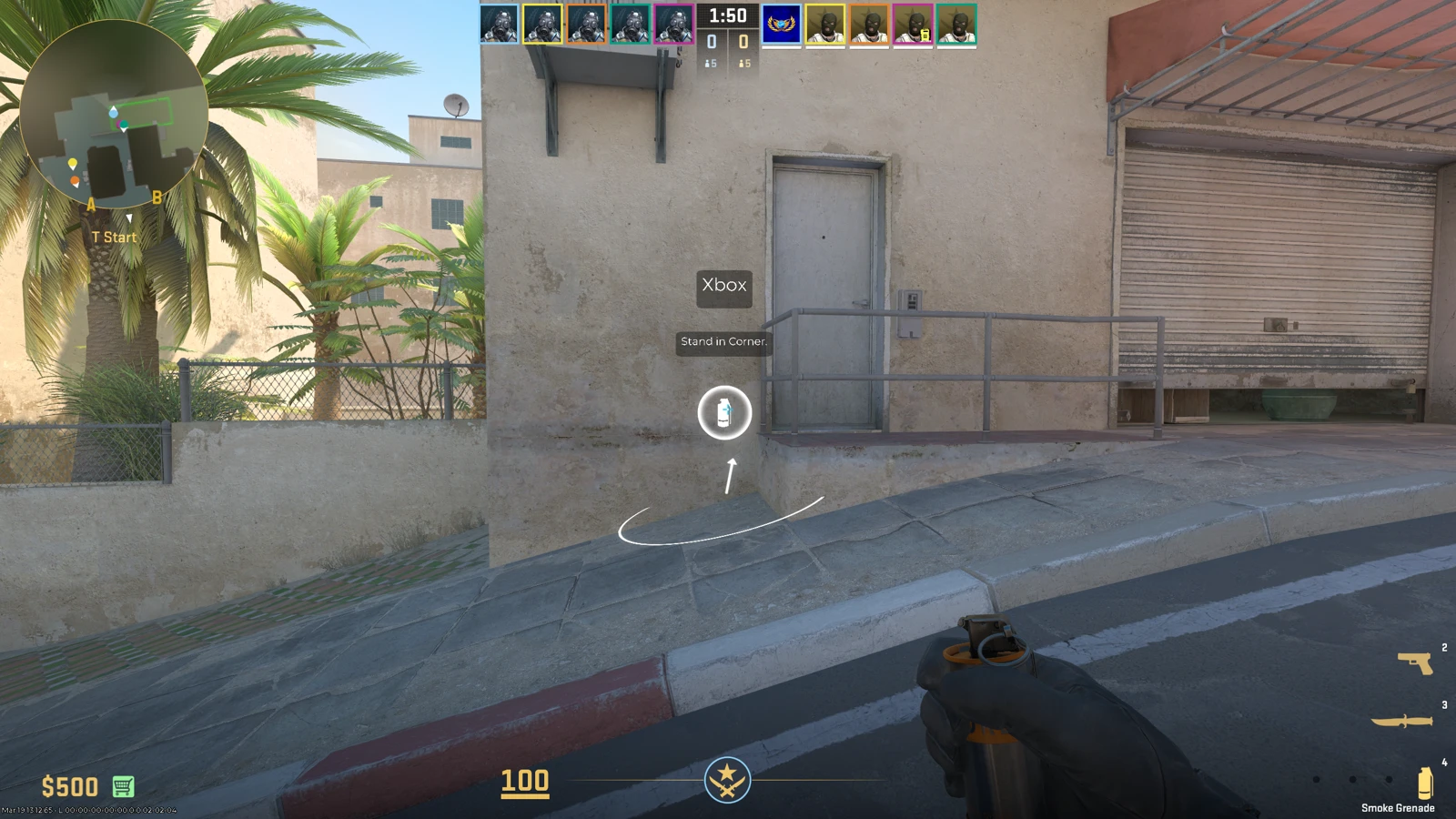
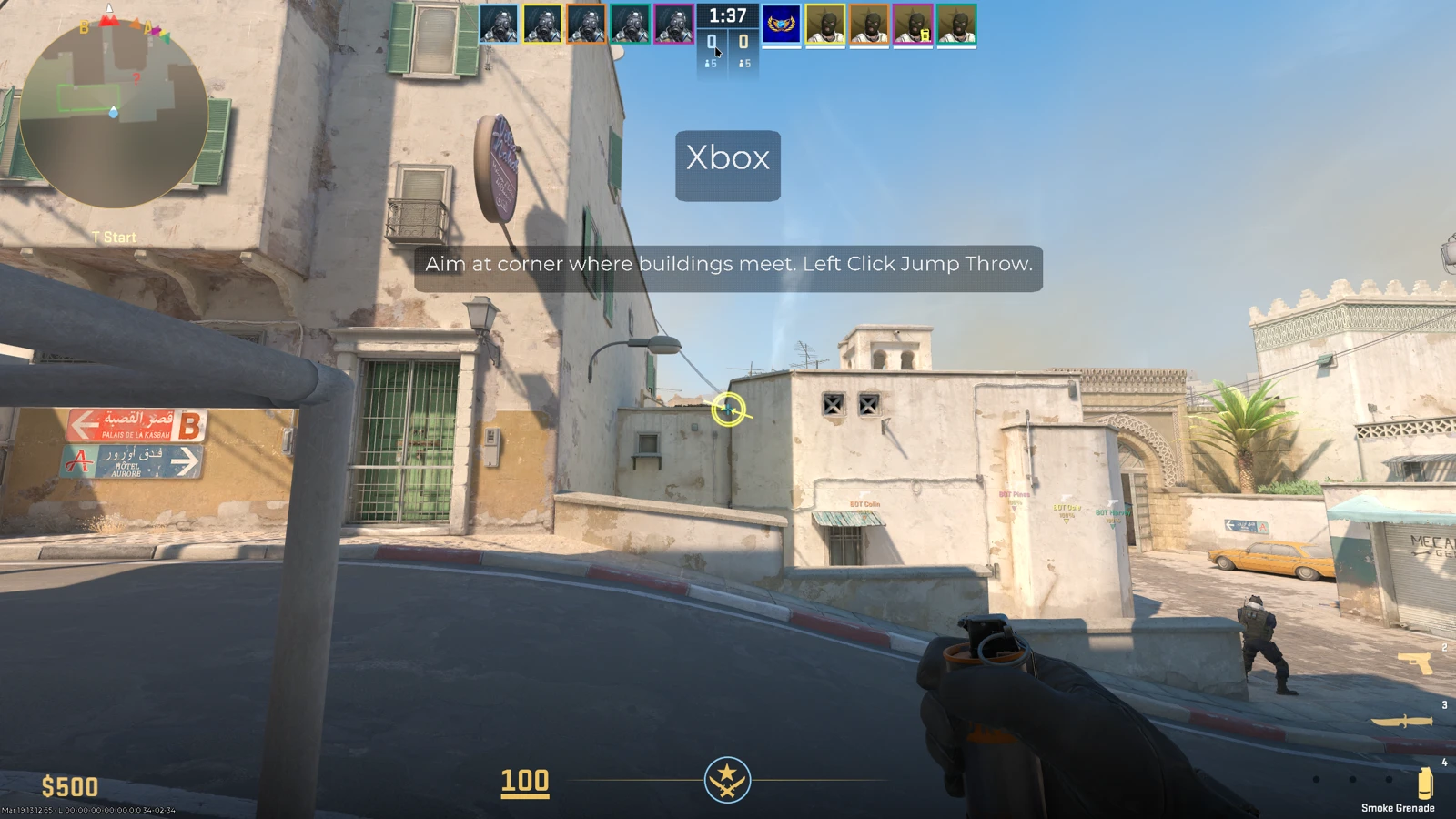
The guide markers stay active until the round limit is reached or you manually disable them. Each guide node shows two things: where to stand and where to aim. Walk to the stand marker (the circle on the ground), then look at the aim point to throw.
Server Settings for Custom Servers
Server operators can control Map Guide access using these console commands from the official patch notes:
- sv_allow_annotations_access_level: 0 = disabled, 1 = limited view, 2 = full and editable
- sv_annotation_limits_max_rounds_per_half: Default 5, determines how many rounds per half guides are available
Official vs. Community Guides
There are two sources for Map Guides:
Official Valve Guides
Valve ships basic starter guides for all 7 Active Duty maps: Mirage, Inferno, Nuke, Dust 2, Ancient, Anubis, and Overpass. These cover fundamental smokes and flashes that every player should know. They're intentionally simple, aimed at newer players learning the maps.
Community Workshop Guides
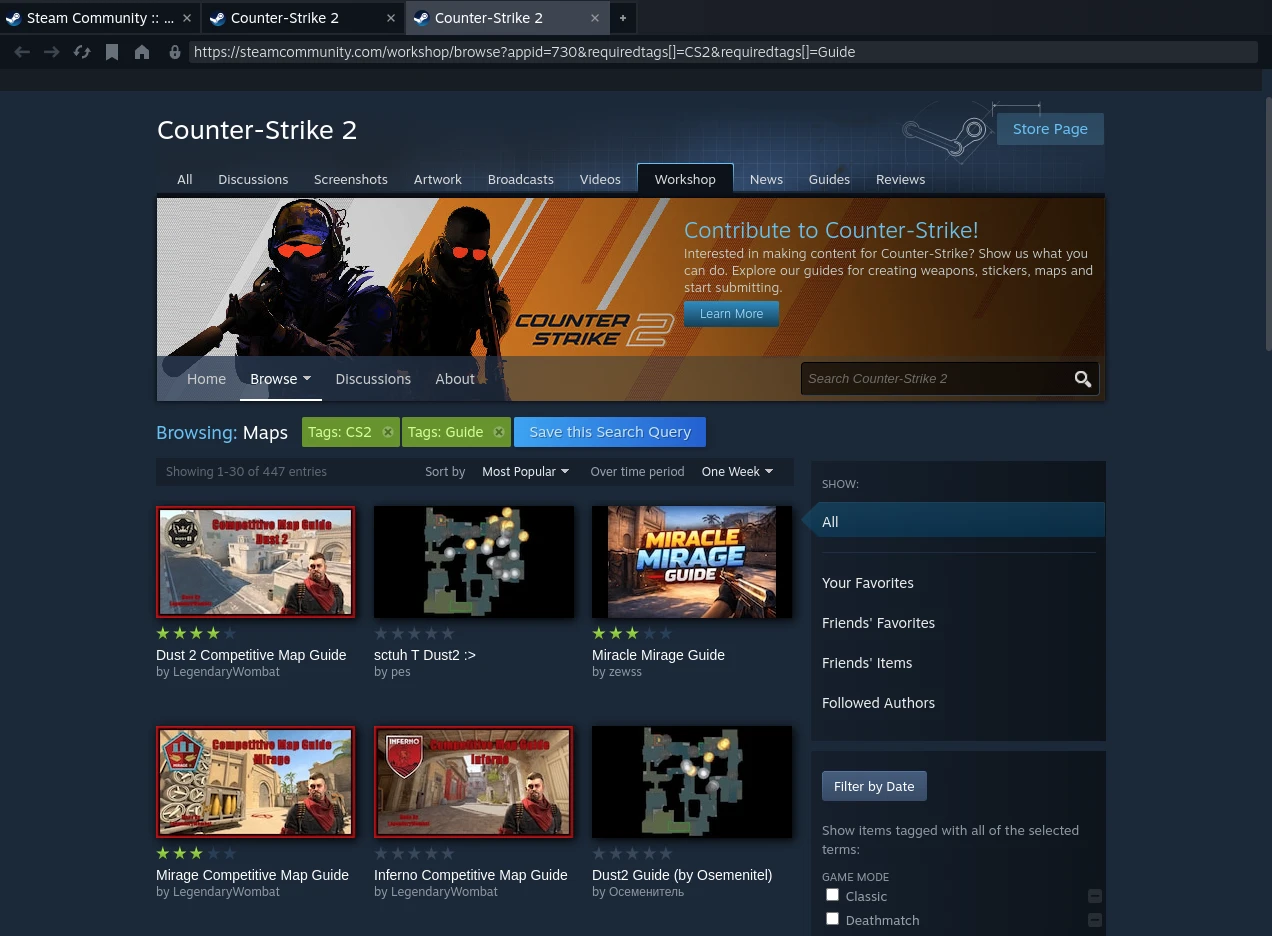
The real value is in community-created guides on the Steam Workshop. These go deeper with advanced lineups, one-way smokes, pop flashes, and creative molotov spots that pros use.
To use community guides:
- Open the Steam Workshop for CS2.
- Search for guides for your preferred map.
- Click Subscribe.
- The guide appears in your in-game guide selection menu next time you play that map.
Limitations
Map Guides have intentional restrictions to preserve competitive integrity:
| Limitation | Details |
|---|---|
| Round limit | First 5 rounds per half only (10 rounds total per match) |
| Node limit | Maximum 30 nodes per guide |
| Modes | Competitive and Retakes only |
| After round 5 | Guides are disabled, you must rely on memory |
The 5-round limit is a smart design choice. It gives you enough time to practice a few lineups each half, but forces you to actually learn them for the later rounds. It's a training tool, not a crutch.
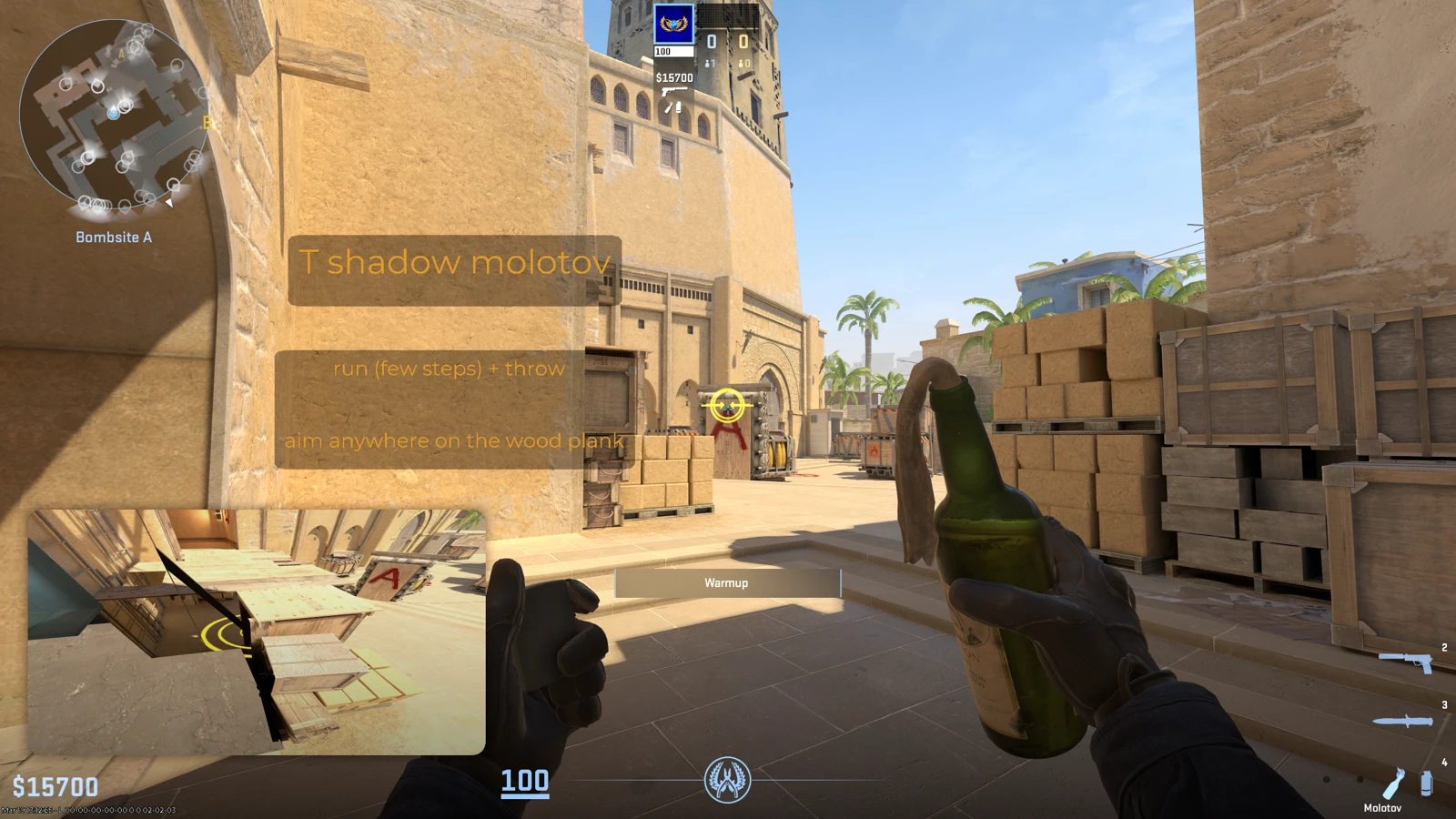
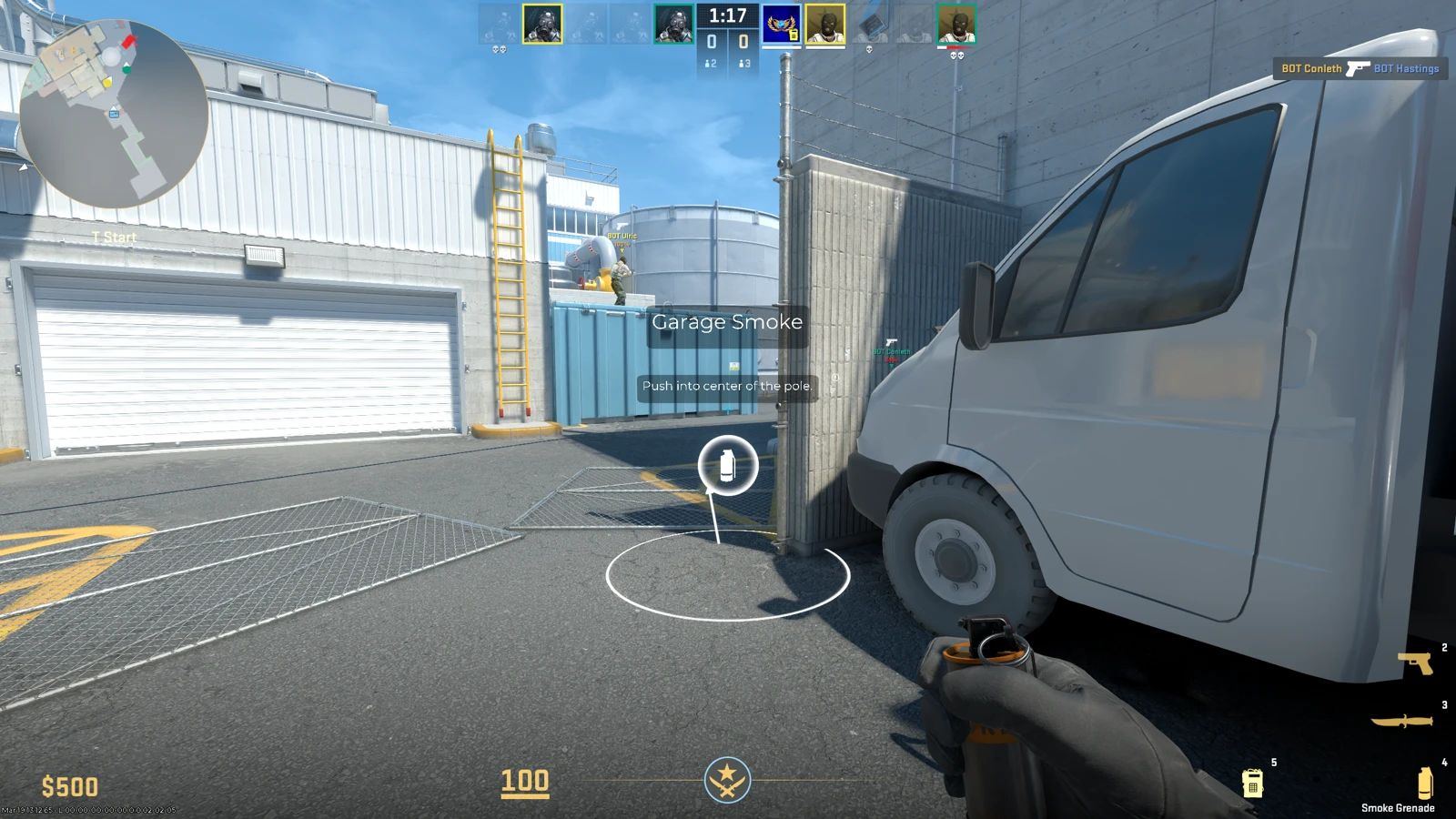
Community Reaction
The response has been mixed. Some players see Map Guides as a great accessibility feature that lowers the barrier to entry. Learning utility lineups from YouTube takes hours, and not everyone has that time.
Others argue that learning lineups is part of the skill gap and that showing them in-game cheapens the effort. The 5-round limit was Valve's compromise between both camps. Your Trust Factor won't be affected by using Map Guides, so there's no reason not to try them.
On r/GlobalOffensive, the Map Guides feature was largely overshadowed by the reload mechanics change in the same update, but the players who did discuss it were generally positive about the concept with the round limitation.
Best External Utility Resources
While Map Guides are great for learning during a match, you should also study lineups outside of games. Here are the best resources:
- CS2Util: Interactive map with all utility lineups, filter by grenade type and position.
- CSNades.gg: Curated nade lineups with video guides for every Active Duty map.
- RaventhornXD's breakdown: YouTube video explaining how to use the new Map Guide setting in competitive.
Frequently Asked Questions
What are Map Guides in CS2?
Map Guides are an in-game feature that displays utility lineup markers (smokes, flashes, molotovs) directly on your screen during competitive or retakes matches. They show where to stand and where to aim to execute specific grenade throws.
How do I enable Map Guides?
Press Escape during the first 5 rounds of a half in Competitive or Retakes. Select a guide from the menu. Both official Valve guides and subscribed Workshop guides will appear.
Which modes support Map Guides?
Competitive and Retakes only. Casual, Deathmatch, and other modes do not support Map Guides.
Can I use community guides?
Yes. Subscribe to guides on the Steam Workshop for CS2. They'll appear in your guide selection menu alongside Valve's official guides. Community guides often have more advanced lineups.
Which maps have official guides?
All 7 Active Duty maps: Mirage, Inferno, Nuke, Dust 2, Ancient, Anubis, and Overpass. Community guides cover these and more.
Are Map Guides available the entire match?
No. They only work during the first 5 rounds of each half (10 total per match). After that, you need to rely on memory. This keeps competitive integrity while still helping players learn.
Want to practice lineups with other players? Join 22,500+ CS2 players in our Discord and find teammates to run utility drills with.